
 If you are, like me, using the Google Chrome browser under Windows XP with Servicepack 2 installed, you were in for a surprise a couple of weeks ago: the browser refused to make a SSL connection to Twitter, Dropbox, Pinterest, WordPress.com and a few other websites, complaining about a malformed SSL certificate. This is not a virus attack or something malicious - it actually happens because Twitter.com got a new SSL certificate signed with SHA-256 on April 7th which seems to be incompatible with Windows XP SP2, the other websites seem to have similar new certificates. Chrome uses Windows' built-in SSL certificate management, which does not support SHA-256 until Servicepack 3. All browsers using Webkit/Blink seem to be affected plus, of course, the Internet Explorer, but not Firefox or the older Opera versions up to 12 because they use their own certificate management.
As far as I have found out, there is no way to fix this problem for Chrome under Windows XP without upgrading to Servicepack 3, which may be a huge problem for users with low harddisk space or programs which do not work well under SP3. But there is a way to override the message and still use Twitter with Chrome despite the malformed certificate: you have to add the command line option --ignore-certificate-errors to the shortcut on your desktop or start menu after the chrome.exe command. This overrides the message and loads the websites, but you still get the red crossed-out warning in the address bar. The main problem is that Chrome does not appear to have any other way to overrite the certificate warnings.
[Update July 1st: Since version 35, Chrome is displaying a warning message on startup that the --ignore-certificate-errors command line option is unsupported, but the fix is still working as described. Hopefully Google is not going to remove the option completely! August 28th: Still works with the latest update to version 37!]
Please note that this might be dangerous! While a website still seems to be properly encrypted with the malformed certificate, I have no idea what effects this might have. Rumours that the encryption itself does not work without the certificate seem to be wrong, but be careful if you are on SSL-encrypted websites other than Twitter, Dropbox, Pinterest or WordPress.com and the crossed-out warning on the https://-prefix shows up! You can always click on the lock icon and find out what is going on. The mobile Twitter site at mobile.twitter.com is not affected by this problem, possibly because of a separate certificate.
I know that this is not an ideal solution, but it might be the only way to continue using Chrome on Windows XP SP2 systems.


 The CosmoQuest 36-hour Hangoutathon is over now, but it has been extended into a 36-day fundraiser marathon, so you can still donate to make citizen science possible. If you want to find out how awesome this whole weekend was, you can either watch all 36 hours back to back on Youtube or if you want to jump to a special segment, I have again prepared an index of the uncut, raw footage to make navigating around a little easier. This is just a preliminary index I made without direct input from the CosmoQuest folks, but I know they are going to appreciate it and I hope it will get even more people interested in these amazing citizen science projects. So go watch the science, the astronomy, the fun and the crazyness of 36 hours non-stop fundraising!
Continue reading »
 It’s less than 24 hours until the 2014 CosmoQuest Hangoutathon begins! Are you ready? Have you already donated or do you want to? It’s starting on 5pm CEST or 11am EDT on Saturday! Click on the image to go to the event page where all the information, schedule and video links will appear and also keep an eye on the CosmoQuest page on Google+, the CosmoQuest main website and their Twitter stream, where right now an hourly tweetdown to the Hangoutathon is happening!
This just came in as I was finishing the article: Pamela Gay has recorded a short introduction about the preparations for the Hangoutathon and maybe there will be a timelapse of her attic being turned into a film studio later!
• The schedule of the Hangoutathon is available here now!
• Another video message from Pamela Gay from this morning.
Update from Sunday: The Hangoutathon is now in hour 23 and the donations are at over $17.000 – that is only $3000 away from last years end result! It’s been absolutely fascinating with lots of fun and interesting guests! It’ll be going on until 5am CEST, which means I sadly won’t be able to see the finale live, but I’ll be writing something tomorrow about it.
Update from Monday: Over $24.000 have been donated until the the end of the Hangoutathon, which is absolutely amazing! While this was still short of the $36k goal, I think it is still a rousing success for CosmoQuest and shows that there are a lot of people out there who genuinely care about the future of science and education. The show – and that’s what it really was – has been utterly amazing and it was pure joy to see the CosmoQuest folks and their friends and collaborators put on such a great effort to ensure that their project is going to survive. And they will make it! You can watch the whole Hangoutathon in this (unofficial) playlist and I’m going to make a complete index again over the course of this week. Go watch if you haven’t already and you can still donate, because the 36-hour hangoutathon has been extended into a 36-day fundraising effort!
Update from Wednesday: The Hangoutathon Youtube Index is now ready!
I’m probably going to update this article later today and tomorrow when more details are coming. For now, here are a couple of links until the Hangoutathon begins:
• The official Youtube playlist of the 2013 Hangoutathon, split by topic
• My previous blog post with the preliminary index of the 2013 Hangoutathon
• Pamela Gay’s April 2013 post about the funding situation at CosmoQuest
• Another blog post from me about CosmoQuest’s Moon- Planet- and Asteroid-Mappers
• A collection of science & astronomy hangouts and podcasts from CosmoQuest and others
• The Journey to CosmoQuest – my 2013 article on how I found CosmoQuest and more
• Follow CosmoQuest on Google+, Twitter and Facebook!
And I will close this post with a variation of what I wrote last year: While the Hangoutathon is not a pay-per-view event and watching is free, the whole reason for this amazing event is to raise money for CosmoQuest. So if you like what they are doing and care about science and astronomy education not only in the USA but worldwide, please consider making a donation – I’m sure that even small amounts are going to help. I will unfortunately not be able to contribute money this year, but if you are in the same situation, you can always help to spread the word and, of course, do Citizen Science yourself!
 The Lego Curiosity Rover compells you – go map the Moon at CosmoQuest.org! Or you can go planet mapping on Mercury or asteroid mapping on Vesta!
The mapping projects have always been a cornerstone of the citizen science projects of CosmoQuest, allowing everybody to contribute to science in an easy, instantly understandable way. Crowdsourcing the identification of craters and other unusual landmarks on the Moon, Mercury and Vesta is as easy as drawing a circle on the screen, but helps enormeously the scientific understanding of these surfaces. And the success is there – in March of this year, the Moon Mappers study was accepted in Icarus, a major peer-reviewed scientific journal, showing that crater identification by citizen scientists is practically as good as if experts were doing it. Two years after the beginning of CosmoQuest, the idea of creating a virtual research lab has now been scientifically proven to be extremely useful.
But what does this really mean for the participating non-scientist? In preparation for the coming Hangoutathon fundraiser, a new series of articles headlined Your Science Results Explained is is giving the answers to this question, because the original paper is admittedly not so easy to understand for non-scientists. But leave it to CosmoQuest to boil the publication down to a more easy level, because this is what they do best: making science accessible for everyone!
To get started with the Moon-, Mercury- or Vesta-Mapping, all you need is to register for free on CosmoQuest.org – this login also works for their Forum as well – and start circling craters on the Mappers websites. You will be shown an introductory video guide the first time you log in so you know what to do, but all in all it’s fairly easy and fascinating as well, because you get to explore the surfaces in great detail and often see images nobody has ever closely looked at before. The mappers websites not only work on the desktop PC, but also on tablets, although with some reservations – I had tested them on several different Android browsers recently and only Dolphin was able to render the Mappers flawlessy for some reason, so I can really recommend it for crater-mapping. Drawing the circles on the tablet is a bit tricky especially on small display sizes, but even on 7″ devices it works well especially if you can use a stylus.
There is also a free Android app called Moon Mappers Crater Decay from CosmoQuest which lets you grade crater images on their level of decay. And you can also buy their educational game Earth or Not Earth for $1.99 (or €1.49 if you’re in Europe) with the proceeds going to CosmoQuest to fund their programmers – the app is also available for iOS devices now. Even if you don’t want to play it, it’s a great way to make a micro-donation!
And regarding donations, of course you can always give something to CosmoQuest, but if you can’t, at least spread the word and support them by doing a little public outreach. And watch the Hangoutathon this weekend, it will be amazing! :-)
 Remember when CosmoQuest held a 32 hour marathon Google+ fundraiser hangout back in June 2013? It’s going to happen again this weekend on Saturday, April 26th beginning at 11am EDT / 5pm CEST and this time it will last a full 36 hours. While the previous Hangoutathon was absolutely amazing and a big success, CosmoQuest is always in need of donations because of the still very dire funding situation. So, for the sake of the future of science and astronomy, the whole CosmoQuest team and their friends and guests are going to do a whole new mega-show to inspire everyone to contribute.
I will post another announcement when there are more details, but the reason for this article is actually last year’s Hangoutathon. The whole 32-hour hangout is available in eight parts on Youtube, but due to the size of the event it has not yet been cut into separate parts. At the end of last year, I went through the Youtube videos and prepared an index table with the help of the schedule to provide links to the starting times of the separate events. Until now, I had not posted the index publicly, but now it’s the best chance to promote the next Hangoutathon with it, so here it is. Some excerpts are also being posted right now on the CosmoQuest stream on Google+ and I will add these to the index when they appear. Go watch some recorded science and then participate live this weekend!
Continue reading »


 What, another Easter, I thought we had that just last year? Oh well, another year has come and gone and 2014 at least brings a little warmer weather than last year, when we even had a little snow on a very early Good Friday. I hope everyone’s having a nice Easter holiday weekend – I’m going to take it very easy this year and although I have several things lined up on my websites, there won’t be tons of new material. So, with this post I’d like to wish everyone a nice Easter holiday!
Over on DVDLog, I’m just going to repost last year’s review of Who Framed Roger Rabbit? later, which I had translated to English for the first time back then. It’s more of a joke than a real easter movie and I really should have prepared another review, but I’m not very good at writing long articles at the moment, so I’m just using the archives a little bit. More Sherlock Holmes will be coming soon and some other random reviews. But contrary to what it may look I’m certainly not giving up the website, just slowing down a little bit. I still have so much great stuff to write about and older articles to translate.
The Photography Blog is where I’m most active at the moment, posting at least four images a day and having a lot of fun interacting via Google+ with other photographers all over the world. I’m posting mainly flowers at the moment, but in addition to the City Views series I have also started a River Views collection with some of my favourite photos from our local waterfront. What I still haven’t done is redesign the blog and the galleries, although I have at least now translated the complete frontend into English. A new design will be coming, I just haven’t found the perfect new look yet, let alone a proper name for the website!
And here on the old main Blog or website or whatever you may call it, I’m still posting a mix of computer geekyness, webdesign and, of course, science and astronomy, of which there will be somewhat more in the next few days because there’s a certain event next weekend I want to promote as much as possible. I will start with that tomorrow and post a couple of articles over the course of the next week. (Also, there’s a SpaceX rocket launch attempt this evening at 21:25 CEST which you can watch live on NASA TV :-). I’m also going to continue the Vintage Computing series at some point, but the next postings still need a lot of preparation and research, so it might be a while until that’s ready.
So, this was this year’s Easter update – not much, but at least a little something. Have a nice Easter, everybody! As usual, you can follow my web exploits on Google+, Facebook or Twitter, although I’d recommend Google+ if you want to interact with me as I’m only really active there.
 I can’t believe another year has come and gone, but tomorrow is Yuri’s Night again – an open, worldwide celebration of humanity’s first spaceflight on April 12th, 1961, which was also the first flight of the Space Shuttle twenty years later. It’s not about Soviet spaceflight or Yuri Gagarin specifically, but actually the fact that this was the beginning of human space exploration itself. It’s not about politics at all, which is especially important this year due to the tensions around the Ukraine and Crimea, but only a way to raise more public interest about space exploration. This is why Yuri’s Night has also been called the World Space Party, a celebration that humankind has ventured off its home planet for the first time.
This year, the number of events on the Yuri’s Night website has sadly gone down from over 300 of 2013 to barely 200, so the interest seems to be waning, but there are still a lot of Space Parties listed, even here in Germany – but unfortunately not anywhere near me. But the organizers leave it up to everbody to make up their own event – throw a star party, just meet somewhere, screen a movie or hold an online event! Everybody can celebrate in their own way, but the organizers would just appreciate if you would let them know what’s going on so they can list it on their website.
I’m not throwing much of a party this year again, because there will be unfortunately no stargazing opportunities at all due to the lousy weather, but I will be watching out for some special online events. Tonight at 9pm CEST there will, of course, be the Weekly Space Hangout and Scott Lewis and Tony Darnell are also planning something with the live edition of Space Fan News starting at 3am CEST (bit late for me, though!). April is also Global Astronomy Month and Nicole Gugliucci and Georgia Bracey had Mike Simmons of Astronomy without Borders on their Learning Space hangout series recently. And, of course, you can always watch the Virtual Star Party live or recorded if your skies are not cooperative or if you don’t have a telescope.
And there will is also something over on DVDLog too with a little collection of space-themed reviews, which I fortunately now at least have partially translated to English. Keep watching my stream on Google+, find out more about Science and Astronomy related podcasts in my blog post from January or add my Science, Space & Astronomy or Astrophotographer Google+ circles which I had shared on December 31st, but which are still up-to-date. And keep watching the skies… if you don’t have clouds overhead, that is!

 Everybody is making a huge deal out of the fact that Microsoft has ended support for Windows XP on April 8th and some media outlets even claim that the lack of patches will result in XP being a hacker’s paradise. Nothing could be further from the truth – although upgrading to at least Windows 7 would be a wise choice for businesses, there is really no need for the private user if there are good reasons to stay with XP. The current media brouhaha about the end of Windows XP only amounts to simple fearmongering towards less experienced users who Microsoft wants to buy their latest operating system.
The main problem is one that Microsoft have created themselves – with XP, they had built the first really well-working version of Windows that has lasted for over a decade and will probably last much longer. The failure to produce a worthy successor after a couple of years was perhaps the worst mistake, with the debacle of Vista over five years after XP’s introduction making the older system only more popular. When the real successor Windows 7 finally appeared in 2009, it was practically too late to really convince legacy users to upgrade – and I’m only talking about private users here.
But what really happens now with Windows XP? The short answer is: nothing! The operating system will simply continue to work and it won’t get much less secure if you take some very simple measures. The bottom line is that it’s not really the OS that is the security risk, but the programs that run on it. If you have your computer connected through a router and have the most dangerous ports blocked, use a permanent virus scanner and keep your web browser(s) updated, there is no reason to think that Windows XP is automatically insecure. Also, just because Microsoft has chosen not to make its Internet Explorer above version 8 compatible with Windows XP does not mean you can’t access the web on an XP machine safely anymore – just use a real browser like Chrome or Firefox (sadly, Opera doesn’t really belong on this list anymore).
There are still many reasons to keep using Windows XP and almost all of them have to do with the hardware. Microsoft says you should upgrade your computer hardware NOW, but if you simply can’t afford it or if you have some legacy card around which needs XP to work, you are stuck. I still have to use XP on my main computer because there are no other drivers for my trusty old WinTV capture card which I use to digitize videotapes. I probably would have been able to install Windows 7 on my notebook when I changed harddrives last year, but since it only can take a maximum of 1 Gigabyte RAM, XP is still the leaner and faster option – and my secondary backup laptop, a little Pentium-III subnotebook with only 384 Megabyte RAM, would choke on anything bigger than XP. In the end, buying a new computer just because XP is supposedly dangerous is utter nonsense. Keep your hardware, keep XP running.
The only feasible alternative would be to switch to a Linux distribution, which I would do in a heartbeat if there were not some Windows programs I have gotten so accustomed to that I can’t live without them. But if you just use your computer to surf the web and do some office work, chuck out Windows altogether and switch to Linux and LibreOffice. Try out Ubuntu or openSUSE, two of the most easy-to-use Linux distributions around which are far less complicated to use than they were only a decade ago. They don’t cost anything and you can try them out with a bootable DVD first without installing them on your harddrive.
The bottom line is that if you take some very simple security measures and you like your computer as it is, you will be absolutely fine. It may sound like Microsoft is forcing you to do an expensive upgrade, but in the end it’s all an artificially produced end of life of an operating system that doesn’t really deserve a premature death.
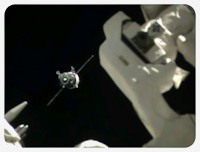 After the supposed “near-catastrophe” that was just a minor navigation problem, a new crew of three astronauts has now finally arrived on the International Space Station. They had to take the long way with 34 instead of 4 orbits, but no one was stuck in space like some of the more sensational news headlines claimed. The docking was actually quite amazing to watch on NASA TV, with the spaceship slowy coming nearer and the final docking even a little ahead of schedule. Videos with the highlights of the docking and the hatch opening and the welcome ceremonies are already up on Youtube. But who’s now up there and who has just arrived? I originally wanted to keep tabs on the astronauts regularly since I had written a first article in November, but was so busy to write a followup, so I’ll just start again.
Who’s up: Already on the station since November 2013 are Rick Mastracchio from the USA, Koichi Wakata from Japan and Mikhail Tyurin from Russia. Both Mastracchio and Wakata have been busy tweeting a lot of great photos from space as @AstroRM and @Astro_Wakata – Rick’s recent photo of the Soyuz launch actually made a lot of well-deserved news headlines since! All three are staying about two more months and will be going home in late May.
Who’s arriving: The second half of Expedition 39 are Aleksandr Skvortsov and Oleg Artemyev from Russia and Steven R. Swanson from the US, who will be staying until September and have just arrived with the delayed Soyuz flight. Swanson and Skvortsov are on their third and second spaceflight, but Artemyev is a rookie astronaut on his first venture into space. Sadly, the russians are not using any social media (yet?) and Swanson does not seem to be using Twitter either, so when the first half of Expedition 39 goes home and the three become the first half of Expedition 40 waiting for the new arrivals, there could be a short social media outage from the ISS. But NASA has opened up an Instagram account which will supposedly be used by Steven Swanson.
Who’s coming: It won’t be long until the next personnel change on the ISS when the first half of Expedition 39 is leaving in late May and the next three astronauts go up: Reid Wiseman from the US, Maksim Surayev from Russia and Alexander Gerst from Germany! I expect our media will go nuts over this, but maybe it will bring spaceflight a bit more into the public here again. It’s actually Wiseman’s and Gerst’s first flight and they both have already been extensively reporting about their experiences as @Astro_Reid and @Astro_Alex on Twitter in a very casual and friendly way, so their stay on the ISS will certainly be interesting.
Also notable is the italian ESA astronaut Samantha Cristoforetti, who will be going to the ISS in November and is chronicling her preparations in a detailed logbook on Google+ and is also active on Twitter as @AstroSamantha. Save for Chris Hadfield (who is actually a retired Astronaut now), I only know one other astronaut who is active on Google+: Andreas Mogensen from Denmark, who will be launching in November 2015 to the ISS, but only on a short 10-day-mission.
Last November, I had already made my Twitter Astronaut List public and I’ve been updating it ever since, so if you want to have a good overview of just about everyone who is, was and is going to be in space, this might come in handy. As usual, you can also watch NASA TV live and recordings and excerpts are always on the NASA TV Youtube Channel and ReelNASA.
That’s it for this article – the next one will be coming sometime in late May when the next astronaut changeover is happening!

So, should I or should I not? I’m still not quite done with the 8 bit era, but I’ve taken a little break with the Vintage Computing series and soon I will have to change over to 16 bit and write about that wonderful computer that was built around this chip. It’ll be a lot of fun, but it will also take some time.

